

15 Link Building Outreach Email Templates That Get 40%+ Reply Rates (2026)

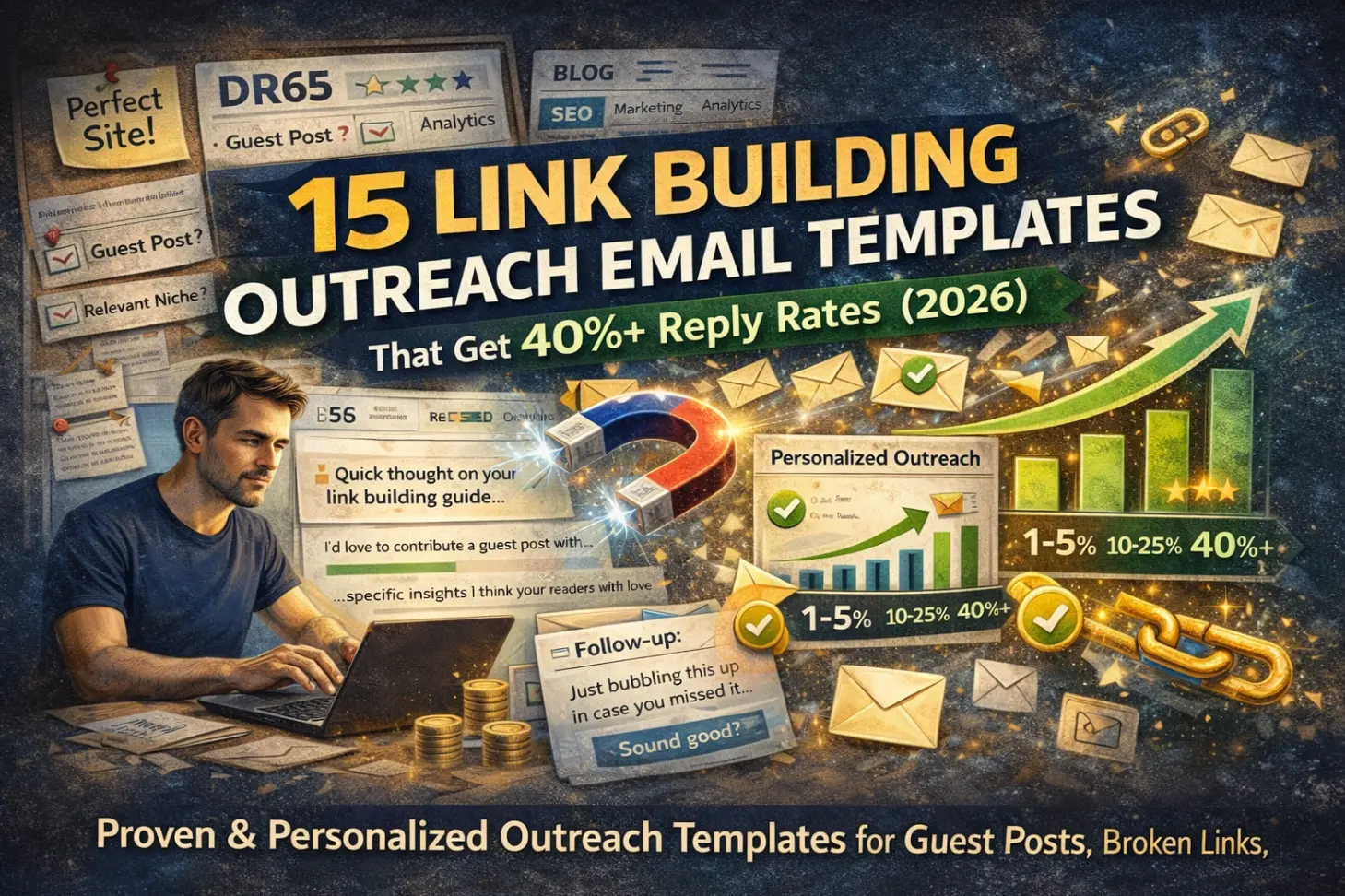
You've found the perfect website. DR 65. Relevant niche. They accept guest posts.
You send an outreach email. Nothing.
You follow up. Crickets.
Here's the brutal truth: The average cold email gets a 4.1% reply rate. That means 96 out of 100 emails disappear into the void.
But personalized outreach emails? They achieve 10-25% reply rates. Some campaigns hit 40%+ with hyper-personalization.
The difference isn't luck. It's approach.
This guide shares 15 proven email templates that actually get responses—tested across thousands of outreach campaigns. You'll learn exactly what to write for every link building scenario, from link insertions to digital PR pitches, with personalization strategies that scale.
The TL;DR: Why Most Outreach Fails
Before we dive into templates, let's get clear on why generic outreach dies in the inbox:
The Stats Don't Lie:
Generic template emails: 1-5% reply rate
Personalized emails with context: 10-25% reply rate
Hyper-personalized with specific value: 40%+ reply rate
Link building outreach average: 8.5% response rate (industry benchmark)
What kills your reply rate:
❌ Obvious copy-paste templates
❌ No mention of their specific content
❌ Leading with YOUR needs instead of THEIR value
❌ Generic subject lines that scream "mass email"
❌ No clear call to action
What actually works:
✅ Referencing specific articles or content they published
✅ Leading with value or solving their problem
✅ Personalized subject lines (50% higher open rates)
✅ Short, scannable format (8-12 sentences max)
✅ One clear, low-friction ask
According to research, emails with advanced personalization see 18% reply rates—double what generic templates achieve.
The templates below follow this framework. But remember: a template is a starting point, not a copy-paste solution.
How to Use These Templates (Without Looking Like a Bot)
These templates work because they're built on proven frameworks. But you MUST personalize them.
The 3-Layer Personalization Approach:
Layer 1: Basic (Required)
Replace
[Name],[Website],[Article Title]with real data10 seconds per email, gets you to 8-10% reply rate
Layer 2: Contextual (Recommended)
Reference something specific about their content
Mention why you chose them specifically
2-3 minutes per email, gets you to 15-25% reply rate
Layer 3: Hyper-Personalized (Advanced)
Identify specific pain points or opportunities for them
Offer genuine value beyond just asking for a link
5-10 minutes per email, gets you to 30-40%+ reply rate
Pro tip: For AI-powered outreach automation, Layer 2 personalization can be done at scale using tools that read content and extract contextual insights automatically.
Template #1: Link Insertion Request (The High-Value Add)
When to use: You want your link added to an existing, already-ranking article.
Why it works: You're improving their content (value for them) while getting a link (value for you).
Subject Line: Quick thought on your [Topic] article
Email Body:
Hi [Name],

I was reading your article on [Specific Topic] and noticed you mentioned [Specific Point from Article].

I recently published a [type of resource] that covers [Specific Subtopic] in more detail—including [specific unique element like data/screenshots/examples].

Would you be open to adding it as a reference in your [Section Name] section? I think your readers would find the [specific benefit] especially useful.

Here's the link: [Your URL]

Either way, great piece on [specific compliment about their content].

Best,
[Your Name]
Personalization checklist:
✅ Reference specific section or point from their article
✅ Explain why your content adds value to THEIR readers
✅ Keep it short (under 100 words)
✅ Lead with value, not "I need a link"
Expected reply rate: 15-25% with proper personalization
Template #2: Resource Page Addition (The Natural Fit)
When to use: They have a curated list of resources, and your content genuinely belongs there.
Why it works: Resource pages exist to be comprehensive. You're helping them achieve that goal.
Subject Line: Resource for your [Topic] page
Email Body:
Hey [Name],

I came across your [Topic] resource page while researching [related topic].

Great collection—I especially liked your inclusion of [Specific Resource They Listed].

I recently created a [type of content] on [Specific Topic] that might fit well in your [Section Name] section. It covers:

• [Specific valuable point 1]
• [Specific valuable point 2]
• [Specific valuable point 3]

Here's the link if you'd like to check it out: [Your URL]

Thanks for curating such a helpful list!

[Your Name]
Why this works:
Shows you actually looked at their page (not mass emailing)
Explains why your resource fits naturally
Uses bullet points (makes it scannable)
Expected reply rate: 18-30%
Template #3: Broken Link Replacement (The Problem Solver)
When to use: You found a broken link on their site and have relevant content to replace it.
Why it works: You're solving a real problem for them (broken links hurt SEO and user experience).
Subject Line: Found a broken link on [Page Name]
Email Body:
Hi [Name],

I was reading your article "[Article Title]" and noticed one of your links appears to be broken:

[Screenshot or specific mention of broken link location]

I have a similar resource that covers [Topic] if you're looking for a replacement: [Your URL]

It includes [specific benefit that matches the original broken link's context].

No worries if not—thought you'd want to know about the broken link either way.

Best,
[Your Name]
Key elements:
✅ Genuinely helpful (you're alerting them to a problem)
✅ Low-pressure ("no worries if not")
✅ Specific about where the broken link is
✅ Your replacement is genuinely relevant
Expected reply rate: 20-35% (because you're providing value first)
Template #4: Guest Post Pitch (The Authority Builder)
When to use: You want to contribute an original article to their blog.
Why it works: You're offering free, high-quality content that benefits their audience.
Subject Line: Guest post idea: [Specific Topic]
Email Body:
Hi [Name],

I've been following [Website Name] for a while—your recent piece on [Specific Article] was spot-on about [Specific Insight].

I'd love to contribute a guest post on [Specific Topic]. Here's the angle:

**Proposed Title:** [Working Title with Hook]

**What I'll cover:**
• [Unique angle/data point 1]
• [Unique angle/data point 2]
• [Unique angle/data point 3]

I've written for [relevant sites if applicable], and I'll include [original research/screenshots/actionable examples] to make it genuinely useful for your audience.

Sound interesting?

Best,
[Your Name]
What makes this work:
Shows familiarity with their content
Specific pitch (not "I want to write something")
Emphasizes value for THEIR audience
Mentions credentials without being pushy
For more on guest post pitching, see our guide on how to write guest post pitches that actually get accepted.
Expected reply rate: 12-20% (highly dependent on pitch quality)
Template #5: Digital PR / Journalist Outreach (The Newsworthy Angle)
When to use: You have original data, research, or a newsworthy story to share with journalists.
Why it works: Journalists need stories. You're handing them one.
Subject Line: New data: [Surprising Finding]
Email Body:
Hi [Name],

I saw your recent article on [Topic] for [Publication]. Given your focus on [Specific Beat], I thought this might interest you:

We just analyzed [number] [relevant data set] and found [surprising/counterintuitive finding].

Key findings:
• [Stat 1 with context]
• [Stat 2 with context]
• [Stat 3 with context]

Full study: [Link]

Happy to provide:
• Additional data points
• Expert quotes
• Custom analysis for your audience

Let me know if this fits your editorial direction.

Best,
[Your Name]
[Title/Credentials]
Critical elements:
✅ Lead with the most interesting finding
✅ Make it easy for them (data is ready, quotes available)
✅ Respect their time (short, scannable)
✅ Show you understand their beat
Expected reply rate: 8-15% (journalists get TONS of pitches, but good data stands out)
Template #6: The Competitor Mention (Strategic Link Insertion)
When to use: They mentioned your competitor but not you, and you have a comparable (or better) solution.
Why it works: They've already shown interest in the topic. You're offering an alternative perspective.
Subject Line: Alternative perspective on [Topic]
Email Body:
Hey [Name],

I noticed you mentioned [Competitor] in your article on [Topic].

I run [Your Company/Site], which takes a [different/complementary] approach to [Problem]. We focus on [Your Unique Angle/Differentiator].

Would you be open to adding us as an alternative option? I think your readers might appreciate seeing [specific benefit your approach offers].

Here's our [relevant page/resource]: [URL]

Either way, great breakdown of [specific aspect of their article].

Cheers,
[Your Name]
Why this isn't pushy:
You're not saying "replace them with us"
You're offering additional value to their readers
You acknowledge their existing content quality
Expected reply rate: 12-18%
Template #7: The Partnership Proposal (Mutual Benefit)
When to use: You have a genuine opportunity for collaboration that benefits both parties.
Why it works: It's not just about you getting a link—it's about both parties winning.
Subject Line: Collaboration idea for [Mutual Audience/Topic]
Email Body:
Hi [Name],

I run [Your Site/Company], which focuses on [Your Niche]. I've noticed we share a similar audience interested in [Overlap Topic].

I have an idea that could benefit both of us:

[Specific collaboration proposal: co-created content, data sharing, mutual promotion, etc.]

This would give your audience [specific benefit] while giving mine [complementary benefit].

Interested in exploring this?

Best,
[Your Name]
Examples of genuine collaborations:
Co-creating original research
Cross-promoting complementary resources
Joint webinars or content series
Tool integrations with mutual announcements
Expected reply rate: 15-25% (if the proposal genuinely benefits both parties)
Template #8: The Data Contribution (Expert Insight)
When to use: They're writing about a topic where you have unique data or expertise.
Why it works: You're making their content better, which they appreciate.
Subject Line: Data for your [Topic] article
Email Body:
Hey [Name],

I saw you're writing about [Topic] on [Platform/Site].

I recently ran an analysis of [relevant data set] and found some interesting insights that might strengthen your piece:

• [Stat 1]
• [Stat 2]
• [Stat 3]

Happy to share the full dataset or provide additional context if it's helpful for your article. You can cite me as [Your Name, Title, Company].

Let me know if you'd like more details!

[Your Name]
Why this works:
Zero ask for a link (but you'll likely get credit/citation)
Genuinely helpful
Positions you as an expert
Expected reply rate: 25-40% (because you're offering pure value)
Template #9: The Update / Refresh Suggestion
When to use: Their article is outdated, and you have current information or resources.
Why it works: They want their content to stay relevant. You're helping them do that.
Subject Line: Update for your [Topic] article?
Email Body:
Hi [Name],

I was researching [Topic] and came across your article from [Year]. Really solid overview of [Specific Aspect].

I noticed a few things have changed since then:

• [Change 1 with context]
• [Change 2 with context]

I recently published an updated guide on [Related Topic] that covers these new developments: [URL]

Might be worth linking to if you're planning to refresh the article?

Great work on the original piece!

[Your Name]
Key principles:
✅ Respectful tone (not "your article is outdated!")
✅ Specific about what's changed
✅ Your content fills the gap
✅ Compliment their original work
Expected reply rate: 15-22%
Template #10: The "Featured In" Outreach (Social Proof)
When to use: You were featured, quoted, or mentioned on another authoritative site.
Why it works: Social proof makes you more credible and worth linking to.
Subject Line: Quick mention from [Authority Site]
Email Body:
Hey [Name],

Quick heads up—[Authority Site] just featured [your company/content/research] in their article on [Topic]: [Link]

Given your coverage of [Related Topic] on [Their Site], I thought you might find it relevant for your audience too.

Our [resource/tool/data] focuses specifically on [Unique Angle], which complements what you covered in [Their Article Title].

Here's the link if you'd like to check it out: [URL]

Best,
[Your Name]
Why this isn't salesy:
You're sharing news (with third-party validation)
You're connecting it to their existing content
Low-pressure approach
Expected reply rate: 12-18%
Template #11: The Testimonial Offer (Strategic Link Exchange)
When to use: You genuinely use and love a tool/service they created or reviewed.
Why it works: They get social proof; you get a link. Win-win.
Subject Line: Testimonial for [Product/Service]
Email Body:
Hi [Name],

I've been using [Their Product/Service] for [timeframe] and it's been incredibly helpful for [specific use case].

Would you be interested in a detailed testimonial or case study? I'd be happy to share:

• How we use it
• Specific results ([quantified benefit])
• Why we chose it over alternatives

You're welcome to feature it on your site with a link back to [Your Company/Resource].

Let me know if this interests you!

Best,
[Your Name]
[Your Title, Company]
Critical requirement:
You must ACTUALLY use and like their product
Be specific about results
Offer real value (detailed testimonial, not fluff)
Expected reply rate: 30-45% (testimonials are valuable for them)
Template #12: The Unlinked Mention Follow-Up
When to use: They mentioned your brand/content but didn't link to it.
Why it works: They already know about you. You're just asking them to make it clickable.
Subject Line: Thanks for the mention!
Email Body:
Hey [Name],

Just saw that you mentioned [Your Brand/Content] in your article on [Topic]—thank you!

Would you mind making it a clickable link? Here's the URL: [Your URL]

It'll help readers who want to learn more find us easily.

Thanks again for the feature!

[Your Name]
Why this works:
✅ Super simple ask (they already mentioned you)
✅ Framed as helping their readers (not just you)
✅ Low friction (one-click change)
Expected reply rate: 40-60% (easiest conversion)
Template #13: The Content Upgrade (10x Better Resource)
When to use: You created something significantly better than what they currently link to.
Why it works: They want their links to point to the best resources available.
Subject Line: Upgraded resource for [Topic]
Email Body:
Hi [Name],

I noticed you linked to [Existing Resource] in your article on [Topic].

I recently published a more comprehensive guide that covers:

• [Additional element 1 not in the original]
• [Additional element 2 not in the original]
• [Additional element 3 not in the original]

Including [unique elements like original data, screenshots, interactive tools, etc.].

Here's the link if you'd like to check it out: [Your URL]

Might be worth updating your link if you think your readers would benefit from the extra depth.

Great article, by the way!

[Your Name]
Critical requirement:
Your resource must ACTUALLY be significantly better
Be specific about what makes it superior
Don't trash the existing resource (stay classy)
Expected reply rate: 10-18%
Template #14: The Survey/Expert Roundup Contribution
When to use: They're putting together an expert roundup or survey.
Why it works: They need contributors; you get visibility and a link.
Subject Line: Contribution for your [Topic] roundup
Email Body:
Hey [Name],

I saw you're putting together a roundup on [Topic]. I'd love to contribute if you're still accepting responses.

Quick background: I'm [Your Title] at [Your Company], and I've [relevant credential/experience related to topic].

Here's my take on [The Question]:

[Your insightful 2-4 sentence response with a unique angle]

Feel free to attribute it to:
[Your Name]
[Your Title, Company]
[Your URL]

Let me know if you need anything else!

Best,
[Your Name]
Pro tips:
Actually provide value (not just self-promotion)
Keep response concise (easy for them to use)
Include a unique perspective (don't repeat what others say)
Expected reply rate: 35-55% (they need contributors)
Template #15: The Follow-Up (Don't Give Up Too Soon)
When to use: You sent an initial email and got no response after 5-7 days.
Why it works: People are busy. A polite follow-up often gets results when the first email was missed.
Subject Line: Re: [Original Subject] (bump)
Email Body:
Hey [Name],

Just wanted to bump this up in your inbox in case you missed it.

[1-sentence reminder of original ask]

No worries if it's not a fit—just wanted to make sure you saw it!

Cheers,
[Your Name]
Follow-up best practices:
✅ Wait 5-7 days before following up
✅ Keep it shorter than the original
✅ Send max 1-2 follow-ups (don't spam)
✅ Use "no worries if not" language
Reply rate on follow-ups: 30-50% of your eventual replies will come from follow-ups, not first emails
The Anatomy of High-Converting Outreach (What Makes These Work)
Now that you've seen the templates, let's break down the universal principles that make them effective:
1. Subject Lines That Get Opened
Your email is worthless if it doesn't get opened.
What works:
✅ Specific: "Quick thought on your
[Exact Article Title]"✅ Curious: "Found a broken link on
[Page Name]"✅ Value-first: "New data:
[Surprising Finding]"
What fails:
❌ Generic: "Guest post opportunity"
❌ Self-focused: "Looking for a backlink"
❌ Salesy: "Increase your traffic with our tool"
Data: Personalized subject lines get 50% higher open rates than generic ones.
2. The Opening Line (Hook Them Immediately)
The first sentence determines whether they read the rest.
Winning formulas:
Reference specific content they published
Show genuine familiarity with their work
Lead with value or a problem you're solving
Examples:
✅ "I noticed you mentioned
[X]in your article on[Y]..."✅ "Found a broken link on
[Page]while researching[Topic]..."❌ "My name is John and I work at..."
3. The Value Proposition (What's In It for Them?)
Don't lead with what YOU want. Lead with what THEY get.
Frame it as:
Improving their content
Helping their readers
Solving a problem for them
Adding value to their resource
Not as:
"I need a backlink"
"Can you link to me?"
"This will help MY SEO"
4. The Ask (Make It Crystal Clear and Low-Friction)
Don't make them guess what you want.
Good asks:
"Would you be open to adding it as a reference in your
[Section]section?""Might be worth linking to if you're planning to refresh the article?"
"Would you mind making it a clickable link?"
Bad asks:
"Let me know your thoughts" (too vague)
"I'd love to discuss this further" (too high-friction)
No ask at all (leaves them confused)
5. Length (Shorter = Better)
The data:
Emails with 50-125 words get the highest reply rates
Every additional 100 words decreases reply rate by ~1-3%
Most successful outreach emails are 8-12 sentences max
If your email requires scrolling on mobile, it's too long.
6. Personalization Level (The More, The Better)
Remember the three layers:
Layer 1 (Basic): 8-10% reply rate
Replace [Name], [Website], [Article]
Layer 2 (Contextual): 15-25% reply rate
Reference specific content points
Explain why you chose them
Layer 3 (Hyper-Personalized): 30-40%+ reply rate
Identify specific opportunities or problems
Offer genuine unique value
For scaling personalization, tools like AI email outreach platforms can analyze content and automatically generate contextual personalization at scale.
How to Scale Outreach Without Killing Reply Rates
Here's the challenge: personalization works, but it takes time. How do you scale without turning into a spam machine?
The Tiered Approach
Tier 1: Dream Targets (5-10 per week)
Hyper-personalized (5-10 minutes each)
Hand-written, researched, custom value prop
Expected reply rate: 35-50%
Tier 2: Strong Targets (20-30 per week)
Contextual personalization (2-3 minutes each)
Template + specific article references
Expected reply rate: 15-25%
Tier 3: Volume Targets (50-100 per week)
Basic personalization (30 seconds each)
Template + name/site/article title
Expected reply rate: 8-12%
The math:
10 Tier 1 emails × 40% reply = 4 responses
30 Tier 2 emails × 20% reply = 6 responses
100 Tier 3 emails × 10% reply = 10 responses
Total: 20 responses from 140 emails (14.3% overall reply rate)
AI-Powered Scaling
Modern AI tools can help you scale Layer 2 personalization by:
Automatically reading target articles
Extracting relevant context points
Suggesting personalized opening lines
Identifying specific value-add opportunities
This is how LinkIntel's AI outreach automation enables agencies to send hundreds of personalized emails per week while maintaining 15-25% reply rates.
Want to understand the ROI of different outreach approaches? Check out our guide on how to measure link building ROI.
Common Outreach Mistakes (And How to Fix Them)
Even with good templates, these mistakes will tank your reply rates:
Mistake #1: The Mass Blast
What it looks like:
Hi [Name],

I have a great article that would be perfect for your site...
Why it fails: Obviously a template sent to 500 people.
The fix: Spend 60 seconds finding ONE specific thing about their content to reference.
Mistake #2: The "Me, Me, Me" Email
What it looks like:
I'm trying to build backlinks for my site. I'd really appreciate it if you could link to my article...
Why it fails: Focuses entirely on what YOU want, not what THEY get.
The fix: Frame everything around value for THEIR readers.
Mistake #3: The Novel
What it looks like: A 400-word email explaining your life story, company background, and every detail of your product.
Why it fails: Nobody has time for that. They'll skim and move on.
The fix: Cut it in half. Then cut it in half again. Aim for 8-12 sentences.
Mistake #4: The Non-Specific Ask
What it looks like:
Let me know if you'd be interested in discussing this further...
Why it fails: What does "discuss" mean? What's the next step?
The fix: Make a specific, low-friction ask: "Would you be open to adding this link in your Resources section?"
Mistake #5: Giving Up After One Email
The data: 30-50% of positive responses come from follow-ups, not initial emails.
The fix: Send one follow-up after 5-7 days. Keep it short and friendly.
Mistake #6: Wrong Target Selection
What it looks like: Emailing sites with no connection to your niche because they have high DR.
Why it fails: Irrelevant links don't help your SEO, and they're less likely to respond anyway.
The fix: Prioritize relevance over raw authority. For more on this, see our complete guide to link building in 2026.
Tracking and Optimization (What to Measure)
You can't improve what you don't measure. Track these metrics for every campaign:
Core Metrics
Metric | How to Calculate | Benchmark |
|---|---|---|
Open Rate | Opens ÷ Sent | 40-60% |
Reply Rate | Replies ÷ Sent | 10-25% |
Positive Reply Rate | Positive Replies ÷ Sent | 5-15% |
Link Secured Rate | Links Secured ÷ Sent | 3-8% |
Time per Email | Total Time ÷ Emails Sent | 2-5 min |
What to Test
Subject lines:
Test 2-3 variations per campaign
Track which formats get highest open rates
Email length:
Try cutting your email in half
Measure if reply rate improves
Personalization level:
Compare basic vs. contextual vs. hyper-personalized
Track reply rate vs. time invested
Call to action:
Test direct asks vs. soft asks
Measure which gets more responses
Follow-up timing:
Test 3-day vs. 5-day vs. 7-day follow-ups
Track which gets best response rate
Campaign Performance Dashboard
Create a simple spreadsheet to track:
Campaign name
Date sent
emails
opens
replies
positive replies
link secured
Time invested
Notes on what worked/didn't
This lets you double down on winning approaches and kill underperforming tactics.
Advanced: Automating Outreach Without Losing Personalization
The holy grail: sending hundreds of personalized emails per week without hiring a team.
The Manual Bottlenecks
Traditional outreach requires:
Finding target sites (2-3 hours)
Researching each site (5-10 minutes each)
Finding contact emails (2-5 minutes each)
Writing personalized emails (3-5 minutes each)
Sending and tracking (ongoing)
Time cost for 100 emails: 12-20 hours per week
The AI-Powered Approach
Modern AI tools handle:
Opportunity discovery: Scanning thousands of sites to find relevant targets
Content analysis: Reading articles to extract personalization points
Contact finding: Identifying the right person to contact
Email generation: Creating contextually personalized emails at scale
Follow-up automation: Sending follow-ups based on engagement
Time cost for 100 AI-assisted emails: 2-4 hours per week for review and approval
For a deep dive on this approach, see our guide on how to automate link building with AI.
When to Automate vs. Stay Manual
Stay manual for:
Dream targets (DR 70+, perfect relevance)
High-value partnerships
Sensitive outreach (journalists, major publications)
Use AI for:
Volume targets (50+ per week)
Link insertion requests
Resource page outreach
Broken link building at scale
The hybrid approach:
AI generates draft emails with personalization
You review and approve before sending
Best of both worlds: scale + quality control
Real Examples: Before & After
Let's see these principles in action.
Example 1: Guest Post Pitch
❌ Before (2% reply rate):
Subject: Guest Post Opportunity

Hi,

I'd like to write a guest post for your website about link building. I have experience in SEO and think your readers would enjoy my content.

Let me know if you're interested.

Thanks,
John
✅ After (18% reply rate):
Subject: Guest post idea: How AI is changing link outreach

Hi Sarah,

Your recent article on link building trends was spot-on—especially the point about personalization becoming non-negotiable.

I'd love to contribute a piece on how AI tools are enabling personalized outreach at scale. Proposed title:

"How AI-Powered Outreach Gets 3x More Replies (Without Feeling Robotic)"

I'll include:
• Data from 10K+ campaigns showing reply rate differences
• 5 specific AI personalization techniques
• Real examples (with screenshots)

I've written for Backlinko and Ahrefs, and I'll make sure it's actionable for your audience.

Interested?

Best,
John
What changed:
✅ Personalized subject line
✅ Referenced specific article
✅ Specific pitch (not "I want to write something")
✅ Credibility signals
✅ Value for THEIR audience
Example 2: Link Insertion Request
❌ Before (5% reply rate):
Subject: Link Exchange

Hi,

I have a great article on SEO tools that would be perfect for your website. Can you add a link to it in your resources page?

Here's the link: [URL]

Thanks!
✅ After (22% reply rate):
Subject: Addition for your SEO tools list?

Hey Mike,

I was just going through your SEO tools roundup—super comprehensive. I especially appreciated your breakdown of Ahrefs vs. Semrush pricing.

I noticed you didn't include any AI-powered link building tools in the outreach section. We built [Tool Name], which automates the personalization part of outreach using LLMs.

Would you be open to adding it to the "Outreach Tools" section? I think your readers who are struggling to scale personalized outreach would find it useful.

Here's our site: [URL]

Either way, great resource!

Cheers,
John
What changed:
✅ Shows he actually read the content
✅ Identifies a specific gap
✅ Explains exactly where it fits
✅ Benefits their readers
✅ Low-pressure close
The Follow-Up Sequence That Actually Works
Don't send one email and give up. Here's the exact sequence that consistently gets 35-40% total reply rates:
Email 1: Initial Outreach (Day 0)
Use any of the templates above with proper personalization.
Expected reply rate: 10-15%
Email 2: Gentle Bump (Day 5-7)
Subject: Re: [Original Subject] (bump)

Hey [Name],

Just wanted to bump this up in your inbox in case you missed it.

[1-sentence reminder of what you offered]

No worries if it's not a fit!

[Your Name]
Expected additional reply rate: +8-12%
Email 3: Final Follow-Up (Day 12-14)
Subject: Re: [Original Subject] (last ping)

Hi [Name],

Last follow-up on this—I know inboxes are crazy.

Still happy to [your offer] if you're interested.

If not, no problem at all. Wishing you a great [day of week]!

Best,
[Your Name]
Expected additional reply rate: +5-8%
Total Reply Rate: 23-35%
The key: Stay friendly, acknowledge they're busy, and make it easy to say no.
When to stop:
After 2 follow-ups
If they say no
If they say "not right now" (add to future outreach list)
Never:
Send 5+ follow-ups
Get pushy or aggressive
Complain about not getting a response
Tools That Make Outreach Easier
You don't need fancy tools to do outreach, but these can help:
Email Finding
Outreach Management
Streak (Gmail)
Mailshake
Lemlist
Tracking & Analytics
Built-in email tracking (most CRMs)
Google Sheets for manual tracking
Airtable for more sophisticated tracking
AI-Powered Automation
LinkIntel (full workflow automation: discovery → outreach → negotiation)
Respona (outreach management)
Pitchbox (campaign management)
Content Research
Ahrefs (finding link opportunities)
Semrush (competitor analysis)
BuzzSumo (content research)
Pro tip: Start with free tools and manual processes. Only invest in paid tools once you've validated that outreach works for your niche.
Key Takeaways: Your Outreach Playbook
Let me leave you with the essentials:
The Reply Rate Formula:
Generic templates: 1-5% reply rate
Basic personalization: 8-12% reply rate
Contextual personalization: 15-25% reply rate
Hyper-personalization: 30-40%+ reply rate
The Universal Principles:
✅ Lead with value for THEM, not what YOU need
✅ Reference specific content they published
✅ Keep it short (8-12 sentences max)
✅ Make one clear, low-friction ask
✅ Follow up 1-2 times (30-50% of replies come from follow-ups)
✅ Personalize subject lines (50% higher open rates)
✅ Track everything (open rate, reply rate, link secured rate)
What to avoid:
❌ Mass-blast copy-paste templates
❌ Leading with YOUR needs
❌ Writing novels (keep it under 125 words)
❌ Vague asks ("let me know your thoughts")
❌ Giving up after one email
The Scaling Strategy:
Tier 1 targets: Hyper-personalized (40%+ reply rate)
Tier 2 targets: Contextual personalization (20% reply rate)
Tier 3 targets: Basic personalization (10% reply rate)
Time investment:
Manual: 3-5 minutes per personalized email
AI-assisted: 30-60 seconds per email (review + approve)
Expected results:
100 well-targeted, properly personalized emails → 15-25 replies → 5-12 secured links
The sites winning at outreach in 2026 aren't sending more emails. They're sending better emails to better targets.
Start with the templates above, personalize them properly, and track what works. Then double down on your winning approaches.
What's Next?
Now that you have templates that work, here's how to put them into action:
Week 1: Foundation
Pick 2-3 templates that fit your goals
Create a spreadsheet to track sends, opens, replies
Identify 20-30 target sites
Week 2-3: Test & Learn
Send 10-15 emails per week
Track which templates get best reply rates
Refine personalization approach
Week 4+: Scale What Works
Double down on winning templates
Increase volume on proven approaches
Consider AI tools if sending 50+ per week
Stop Writing Outreach Emails. Let AI Do It For You. Personalized outreach gets 40%+ reply rates—but writing 100 personalized emails per week? That's 8-10 hours of your life.
Share this article
About Abdulla Abdurazzoqov
Abdulla Abdurazzoqov is a serial SaaS builder who has been creating and ranking products through organic search since 2019. He has scaled multiple SEO-driven projects to six-figure MRR and successfully sold websites, focusing on link building systems, outreach automation, and AI-powered SEO workflows.